Ultimate Game Guide 5.0: Your Collection Comes to Life
Ultimate Game Guide 5.0 is the biggest update in the app’s history. Your games now live on a shelf of their own, the camera can recognize a cartridge or box in a second, and every game page has been rebuilt around the copies you own. It’s available now on iPhone, iPad, Mac and Android.
Your collection, on the shelf
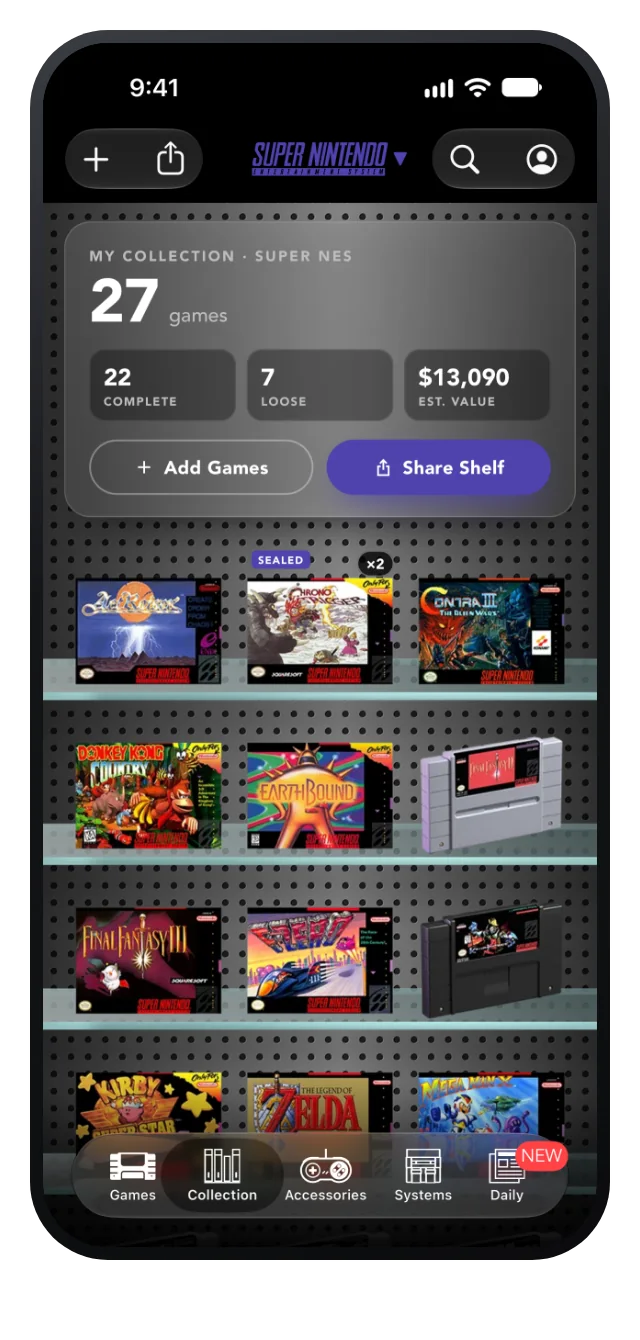
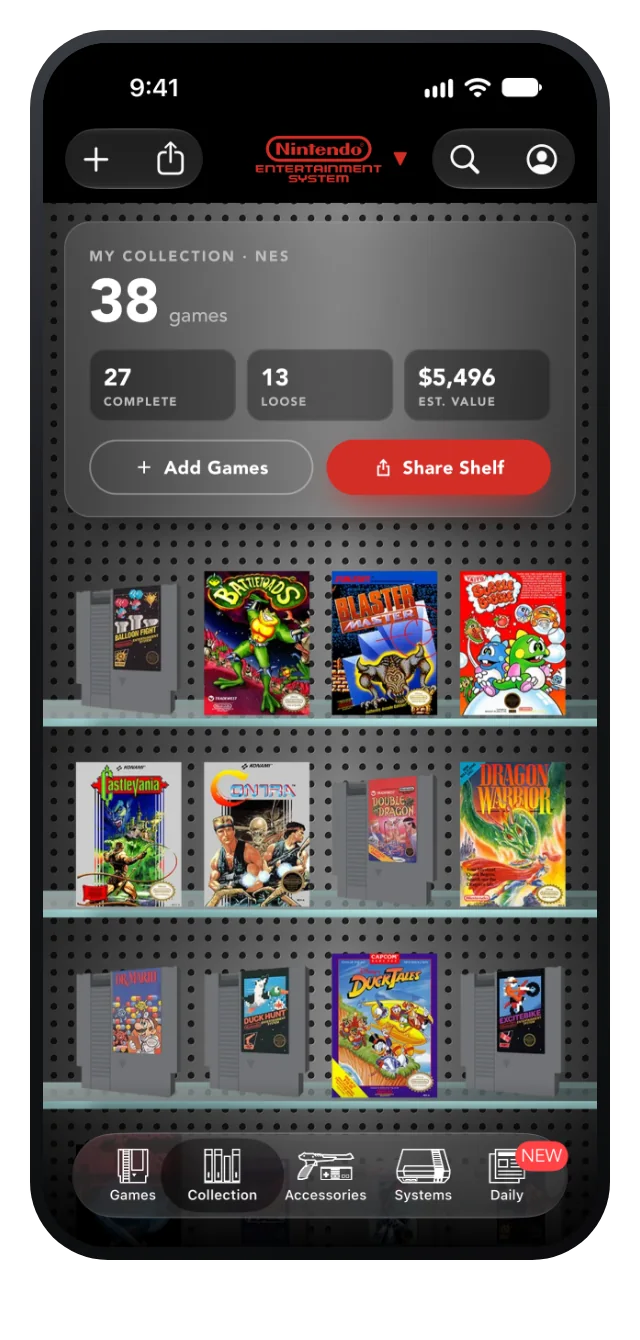
The new Collection tab puts every game you own on glass shelves, just like the Games tab. Complete copies show their box art, loose games show their cartridge, sealed copies get a Sealed badge, and duplicates show how many you have.
A summary card at the top keeps count of your games, how many are complete and how many are loose, and their estimated value, based on the collector prices we refresh every day. Switch systems and the shelf, the totals and the colors switch with it.
Add a game in a second
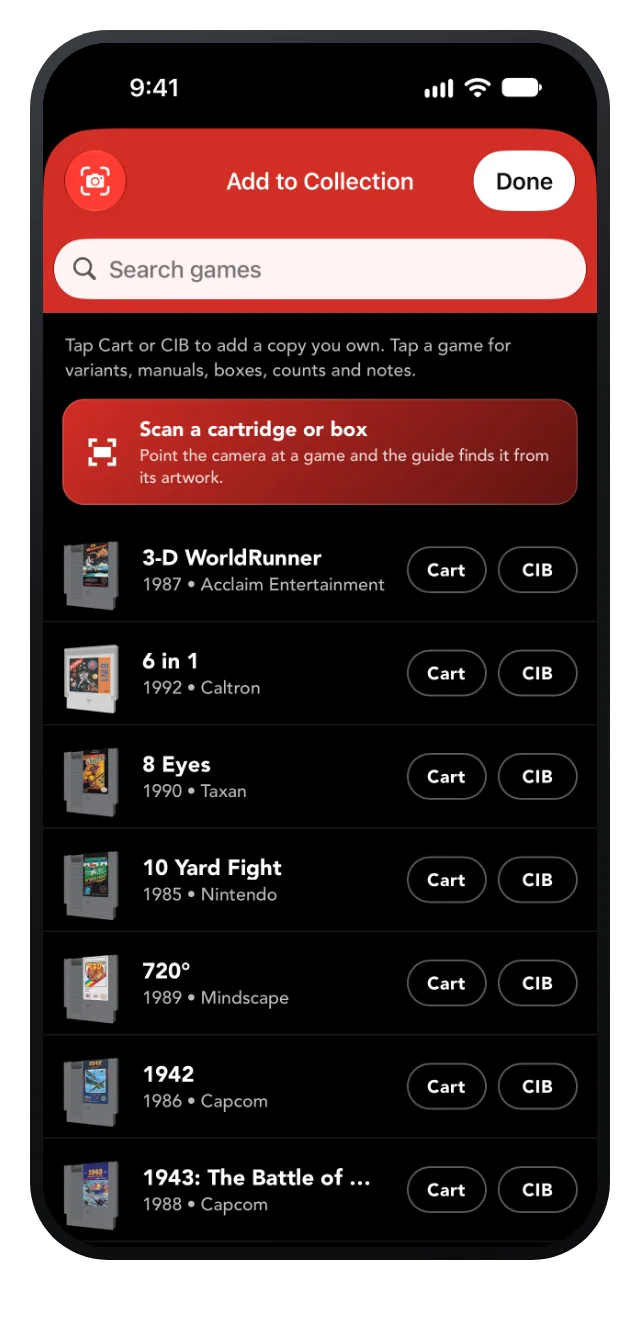
Tap + to open Add to Collection: search the whole library and tap Cart or CIB to add a copy without leaving the list. Tap a game for variants, manuals, boxes, counts and notes.
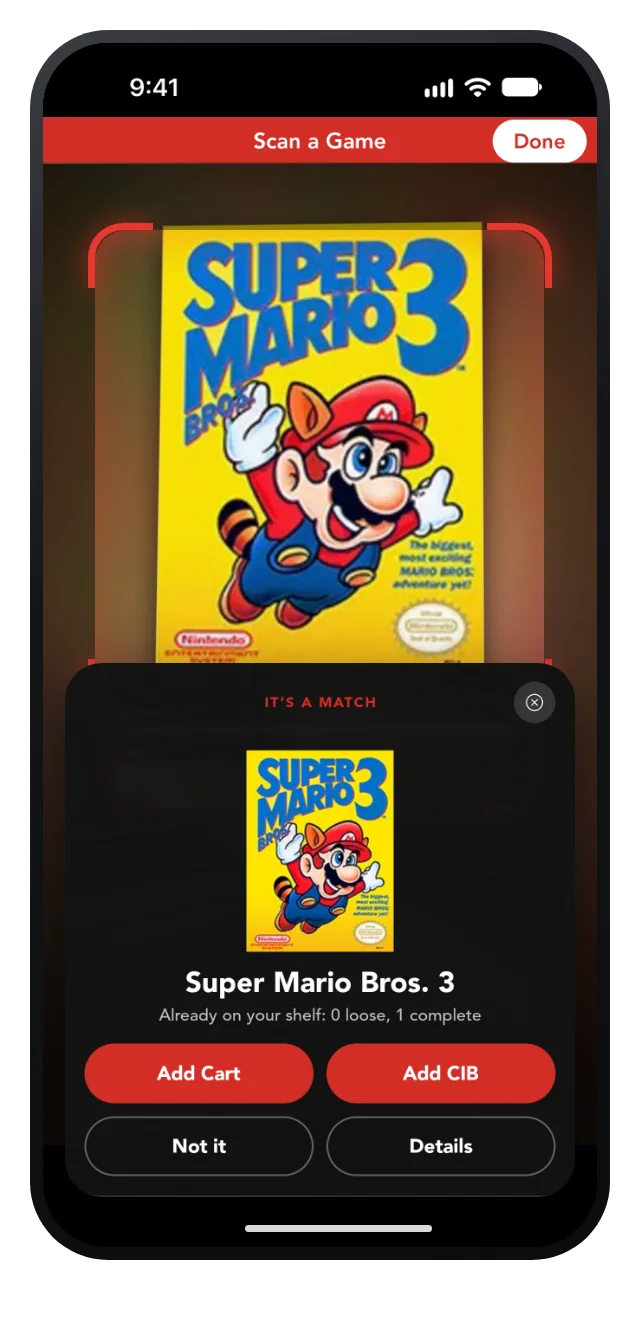
Or let the camera do it. Scan a Game watches for a cartridge or box, compares it with every box and cartridge in the guide, reads the title off the label, and shows you the match. Add it as a cart or complete in box, see what’s already on your shelf, and keep going through a whole stack. You can also match a photo from your library.
Show off your shelf
Share Shelf turns your collection into a page on the web that anyone can open, no app required, with a custom preview card when you post the link on social networks or send it in a message. Sharing needs a synced account and the NES or Super NES upgrade.
Every game page, rebuilt around your copies
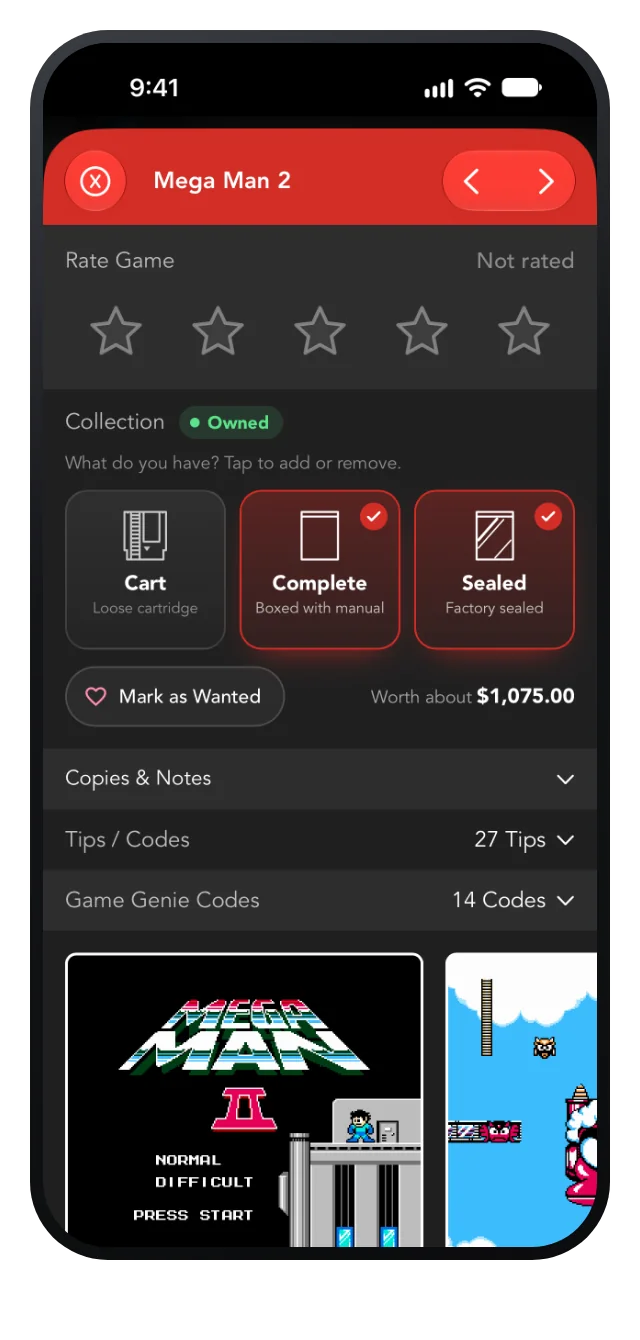
The Collection section on every game page is now a single tap: Cart, Complete or Sealed, drawn with the app’s own cartridge and box icons. It shows what your copies are worth, saves automatically, and gives you Undo if you change your mind. Copies & Notes keeps the details: variants, manuals, boxes, counts and notes.
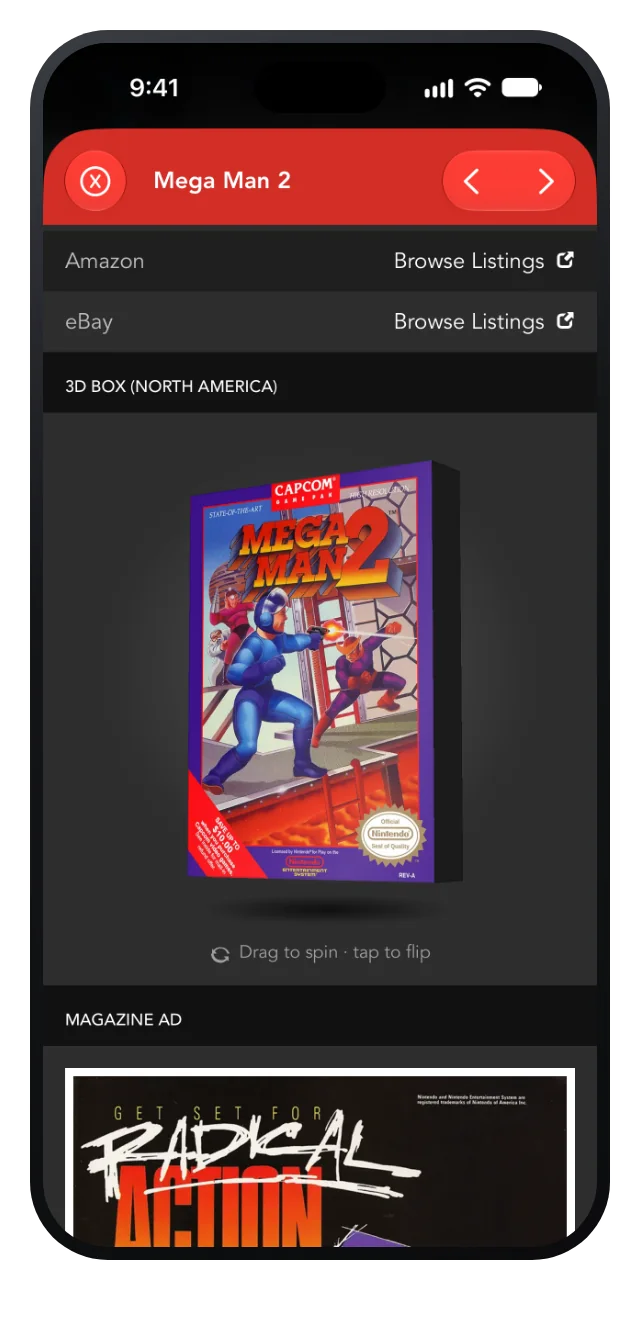
The floating 3D box from The Daily Cart now sits on every game page: drag it to spin it, tap it to flip it over and read the back. And the star rating has been rebuilt from scratch: tap or slide across the big stars, and scrolling past them never changes your rating.
Hunt for the version you want
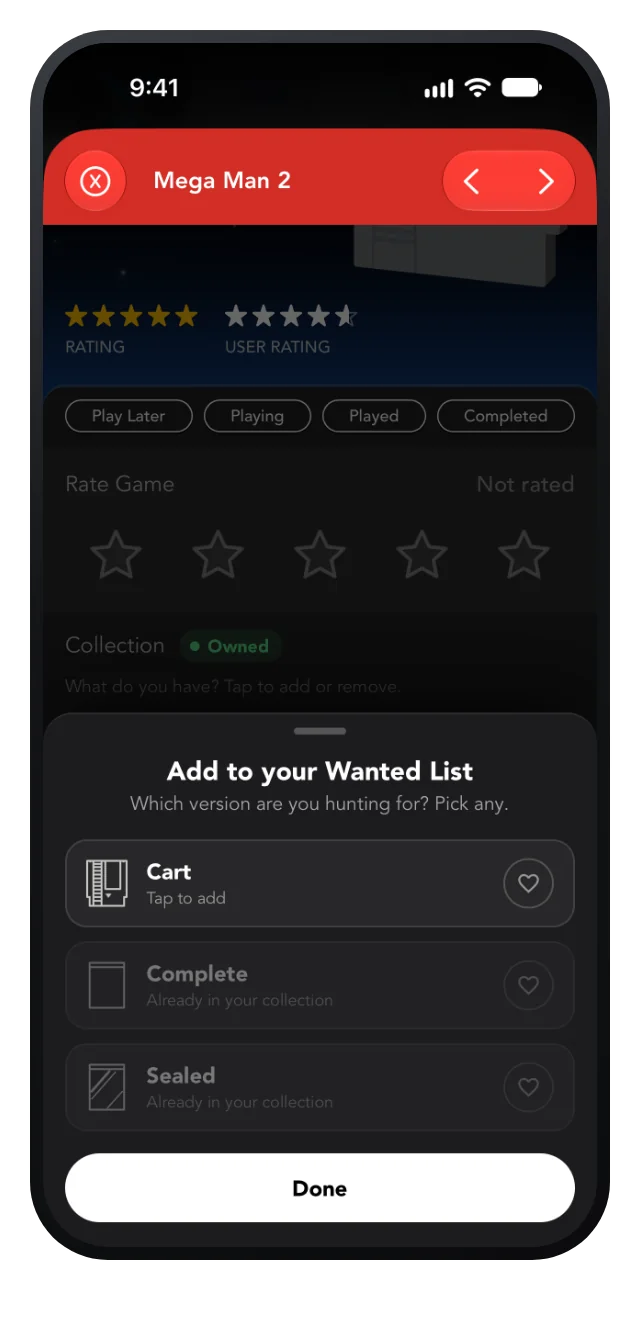
Mark as Wanted asks which version you’re hunting for (the cart, a complete copy or a sealed one), so your want list is as precise as your collection. Versions you already own are marked, so you never add a copy you have.
Your collector profile
Add a photo, with a new cropper that fits it perfectly in the circle, plus your name and a short bio, all saved to your account. The profile, sign-in and account screens have been redesigned too, and the tab bar has new icons.
Even better on the Mac
On the Mac, Scan a Game works with your Mac’s camera, and you can choose between cameras, including your iPhone with Continuity Camera. Search now lives right in the toolbar, and sheets open at a size that shows more at once.
And on Android, too
Every 5.0 feature is on Android as well: the Collection tab, Add to Collection, Scan a Game with your phone’s camera, shared shelves, the new game pages and the collector profile.
Get Ultimate Game Guide 5.0
Free to download, with the complete guide a one-time purchase per system. Already have it? Update now and your collection is waiting on the shelf.